say something

Does The Machine Make The Man?

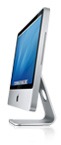
iMacI am on the verge of receiving my first Macintosh computer. It is going to be an iMac, coming in with a striking 24″ display with plenty of power underneath its slender frame. And let me tell you, I couldn’t be more excited! It is going to be my primary design machine, and from what I hear, this is a wise decision. And I, for one, completely buy into this. But why? What makes a Mac the designers dream? When did they become the standard and is it based on anything other than precedence?

Status Quo Or True Leader?

As far back as I can recall, it has always been the consensus that a Mac is the designer’s dream computer. However, I only recently started to think about why this was. Well, they say designers need loads of power in their computing and back in the Power PC days, Apple swore that they were in the lead. However, the switch to Intel has all but eroded their purported hardware edge. So what could it possibly be now?

The way I see it, it must have something to do with the platform. Now I may be one of the few people to argue that my Windows Tablet has never run into any serious problems. Performance has been great and it has been very stable for me. But what I did feel was what I will dub, “Mac App Envy.” This is where I feel that the best apps for designers are made for Macs. Obviously, the big vendors make their software for everyone, but the smaller outfits with the interesting programs seem to always come out for Macs!

Severe Mac App Envy

To illustrate this symptom, I am going to give you a list of 15 programs that I am most looking forward to using. They look good and work well, while staying simple and to the point. Does it get more Mac than that?

  1. Coda: A web coding program.
  2. Locomotive: Ruby on Rails development.
  3. Quicksilver: Program launcher.
  4. Backdrop: Desktop simplifier.
  5. DEVONthink: Database application.
  6. Ecto: Desktop blogging app.
  7. Severskine: Client password manager.
  8. Transmit: File manager and FTP client.
  9. iBiz: Billing and invoicing clients.
  10. Puka: Bookmark sources of inspiration.
  11. Image Tricks: Lightweight, quick image editor.
  12. Voice Candy: Record voice memos.
  13. Sticky Windows: Clutter free work environment.
  14. FontExplorer X: Font manager.
  15. QuickSnap: Screen capture utility.

This is the kind of toolbox a designer could put together while working on a Mac. Now, the thing is, are there not Windows or Linux alternatives? I am sure that there are. So I am still partly left with my original question.

Why Do We Go For Macs?

Perhaps this idea of designers needing Macs is sort of a self-perpetuating myth at this point. There isn’t really any design factor that makes them better than any other platform. But, they are certainly the most beautiful pieces of hardware; and perhaps, as designers, we lean towards them because they are in fact, well designed. Do you think that a Mac is a designers must have computer?

This post was written by J David Macor.

Related reading:

10 people says things!

  1. I might recommend YummyFTP over Transmit. I know Panic is cool and all that, but I have found Yummy to be superior and a bit more lightweight feeling, even if their icons aren’t quite as cool. Also YEP for PDF/document management is pretty neat.

    I think Growl is pretty essential for notifications on uploads, downloads, IMs, etc…

    By akatsuki on September 26, 2007 8:49 am

  2. I too have recently, (end of July), switched from PC to Mac or my main development machine, (a MacBook Pro). One of the main reasons I switched was that I could test in both Windows & Mac environment on the same computer. However, I haven’t put a Bootcamp partition or windows installation on the Mac yet.

    I haven’t found my dream team of applications yet, (and I’ll be trying out some of the ones you’ve mentioned), but there are a couple of things that I’ve found to be excellent, and could answer “Why Do We Go For Macs?”

    First, stability: I know that this is probably because of the UNIX system under the surface, but I don’t it’s possible to find such an excellent GUI with such incredible stability, (My Mas shows an uptime of just over 39 days right now - no restarts. Imagine that on a Windows machine!).

    Second, responsiveness: I’m not really what to call this one. I love the fact that I can simply close the lid and the computer goes to sleep, then when I open the lid it takes maybe 2 seconds before I’m up & running again.

    So, those are my answers. Have fun with the new iMac - they look great!

    By John B on September 26, 2007 10:35 am

  3. Macs are certainly pretty machines, but the thing that really differentiates it is the sheer quality of the software in most fields. (except games and I guess some types of CAD type work which I don’t do anyway)

    First, the operating system is much more stable and responsive. I’ve had only one time that OS problems have caused me to have to restart the system in the last (I guess its close to) two years now that I’ve owned a Mac. I can have the machine on for months at a time without experiencing any slowdown or needing to restart. Also, the Unix background of the OS allows me to try all types of development much easier than on Windows machines.

    Second, the software available on the Mac, particularly in the various creative fields, is years ahead of some comparable Windows options. I made a list of some of my favorites here. It would be difficult for me to switch away from great apps like CSSEdit and TextMate. Coda is also very well done I just can’t get into it.

    One really cool new app is Pixelmator, an image-editing program that just came out of beta yesterday. While it is clearly a version 1.0 product and is missing some desired features, my first impression of it is pretty incredible. There are so many little visual elements to the program that make it more fun and usable. Check that one out.

    By Chris Papadopoulos on September 26, 2007 1:34 pm

  4. I think you will be most happy with your Mac. Just remember, especially when starting out: don’t try to do things ‘the Windows way’. There is a Mac way to do everything. It might seem alien or unproductive at first, but give it time, within a week or two you (hopefully) will be wondering how you ever managed without it. Learn Quicksilver, it’s incredible at what it does, and it can do a lot. Also, you might want to get a few browsers on it, each is good in its own right and it’s always good to have options. Also, get Flip4Mac if you want to be able to view web embedded Windows Media files.

    Jon B, when you shut your lid, you need to wait for the little sleep indicator LED on the front to start pulsating, until it does, it is writing data to the hard drive, and NO hard drive shock protection is enabled. Give it about 15-30 seconds before you throw it in your bag or move it out of the way, your hard drive will thank you later.

    Nice app list, there’s a few there that I’d like to check out myself. Why do we go for Macs? Well I think there is a feeling that there might be something better out there, something different. When you work on a Mac, you work with the Mac, not against it. The absence of popups telling you your virus definitions are too old or telling you you did or can’t connect to this or that wireless network should save you about an hour a week.

    By Christopher on September 26, 2007 2:23 pm

  5. I am also looking forward to switch… and even though I severely doubt I will be happy with OS X the first months (years of Windows knowledge and I have been system administrator for bigger networks) I can’t wait to play with a MacBook Pro soon.

    By Franky on September 26, 2007 2:42 pm

  6. First, I want to say thanks to everyone who has commented so far. It is interesting to hear people’s opinions on the matter.

    What I have heard many of you say is that stability is the key issue. However, I would contend that, in the right hands, any system could be relatively stable; Windows, OSX or Linux. I honestly think that besides the really cool programs, I am more impressed by its design. It is one sexy machine.

    By J David on September 26, 2007 3:02 pm

  7. Sigh…
    I’m not heavily into design, but I did mac the switch to a Mac from PC this past April and all I can say is I’m never going back. Yes, stability. Yes, beautiful GUI. Yes one helluva sexy machine. But for me (since I’m not on the design side), the major selling point is all those tiny little issues that in the end add up: for instance, at work I usually have tons of applications open. Well, on the desktop bar they begin to get scrunched together and then annoyingly grouped into categories. Actually, I could write about two pages of things I love about browsing applications on OSX (F9 and F11 baby! where have you been all my life?). Anyways, I ramble…

    Unrelated, Randa previously posted about browsing Tom Cruise style… I just ran across this:
    http://www.ted.com/index.php/talks/view/id/129
    It looks like we’re one step closer. Please tell that demonstration was not one of the most beautiful things you’ve seen this week?

    By Adrian P. on September 27, 2007 12:43 pm

  8. Christopher: Thanks a lot for the tip! The thing I read, (in the beginners docs somewhere I think), said to wait “a few seconds” so I was thinking 3 or 4. I’ll wait for the light to start doing its thing in the future, replacing an HD doesn’t look like a good time on this thing - I don’t think it’s accessible from the exterior like on my old Dell.

    By John B on September 28, 2007 9:45 pm

  9. [...] is Microsoft to blame for all the ugly, overloaded, and difficult-to-read slides? Can and should software encourage and impress upon its users the principles of good design? And since we know that [...]

    By Really Good Ideas from April Fools’ Pranks on the Web | Wisdump on April 1, 2008 11:22 am

  10. [...] is Microsoft to blame for all the ugly, overloaded, and difficult-to-read slides? Can and should software encourage and impress upon its users the principles of good design? And since we know that [...]

    By Really Good Ideas from April Fools’ Pranks on the Web | Wisdump on April 1, 2008 11:22 am

  11. Subscribe to comments via RSS!

    What do you think?